
Download UniGetUI – Windows Package Manager, Software Installer, Productivity Tool
Overview
UniGetUI is a productivity-focused utility designed for Windows 10 and 11 users seeking a streamlined way to manage software through popular command-line package managers. The app serves as a graphical interface for tools like Winget, Scoop, and Chocolatey, enabling users to install, update, and uninstall applications without relying on terminal commands. Its core purpose is to simplify software management by consolidating multiple package managers into a single, intuitive environment. This is particularly valuable for users who want the power of command-line tools but prefer the accessibility of a GUI.
Target users include developers, system administrators, power users, and anyone looking to automate or organize their software setup. The app is ideal for those setting up new machines, maintaining consistent environments across devices, or managing large software portfolios. Real-world use cases range from rapid system debloating to migrating software configurations between systems. By reducing manual effort and minimizing errors associated with repetitive terminal commands, UniGetUI enhances workflow efficiency and system consistency.
The developer, UniGet, has positioned this tool within the Windows productivity ecosystem as a lightweight, free solution to a common pain point. While specific company background details were not provided, the app’s functionality reflects a clear understanding of developer workflows. Its presence fills a niche gap between raw command-line efficiency and full-featured software managers, offering a balanced middle ground that appeals to both technical and non-technical users.
Key Features & Functionality
- Unified Package Management Interface: UniGetUI integrates multiple package managers—Winget, Scoop, and Chocolatey—into one cohesive interface. Users can search, install, and manage software from all three sources without switching between tools or memorizing different syntax.
- One-Click Installation and Removal: Applications can be installed or uninstalled with a single click, eliminating the need for terminal commands. This feature significantly reduces friction for users who are not comfortable with command-line operations.
- Bulk Operations: Users can select multiple packages and perform actions like installation, updates, or removals simultaneously. This is especially useful when setting up a new computer or restoring software configurations across multiple devices.
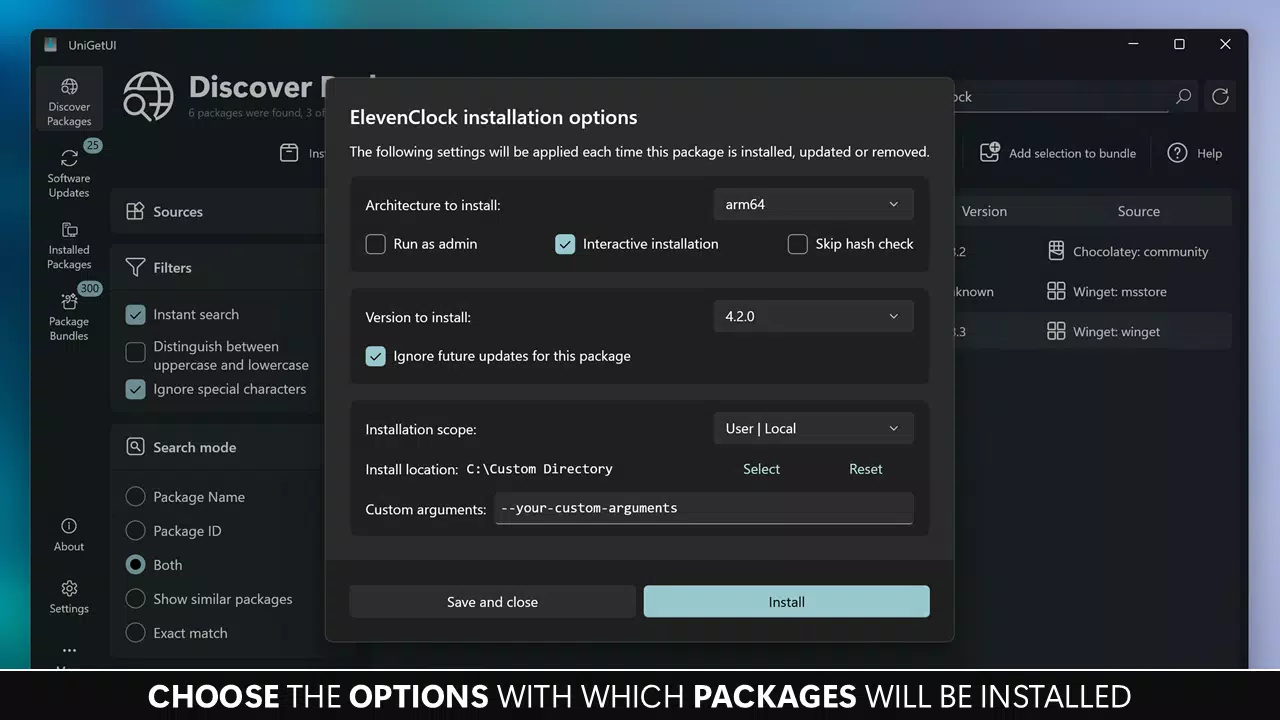
- Automatic and Manual Update Control: The app supports automatic updates for all packages or selective notifications. Users can also choose to skip specific versions or disable updates for certain applications, preserving system stability.
- Package List Export and Import: Custom software configurations can be exported as files and imported on other machines. This enables seamless setup of new systems or sharing of software preferences with colleagues and friends.
- Backup and Recovery: Users can back up their installed package lists locally, allowing for quick restoration during system migrations, reinstallation, or troubleshooting scenarios.
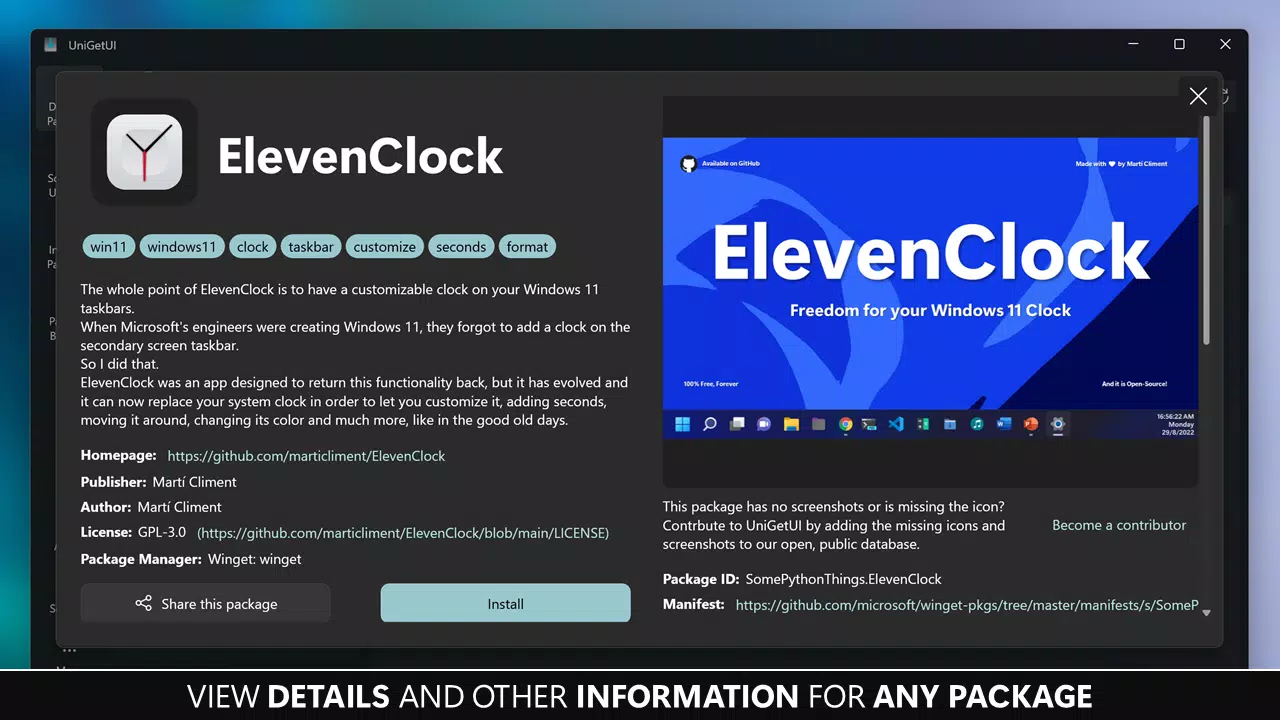
- Package Sharing: The app allows users to generate shareable links or export lists, facilitating collaboration and discovery of useful software among peers.
These features collectively address common challenges in software management, such as inconsistency, time consumption, and configuration drift. For example, a developer setting up a new development environment can export their package list and restore it on another machine in minutes. Similarly, a system administrator can deploy standardized software across multiple workstations using bulk operations.
Interface, UX & Performance
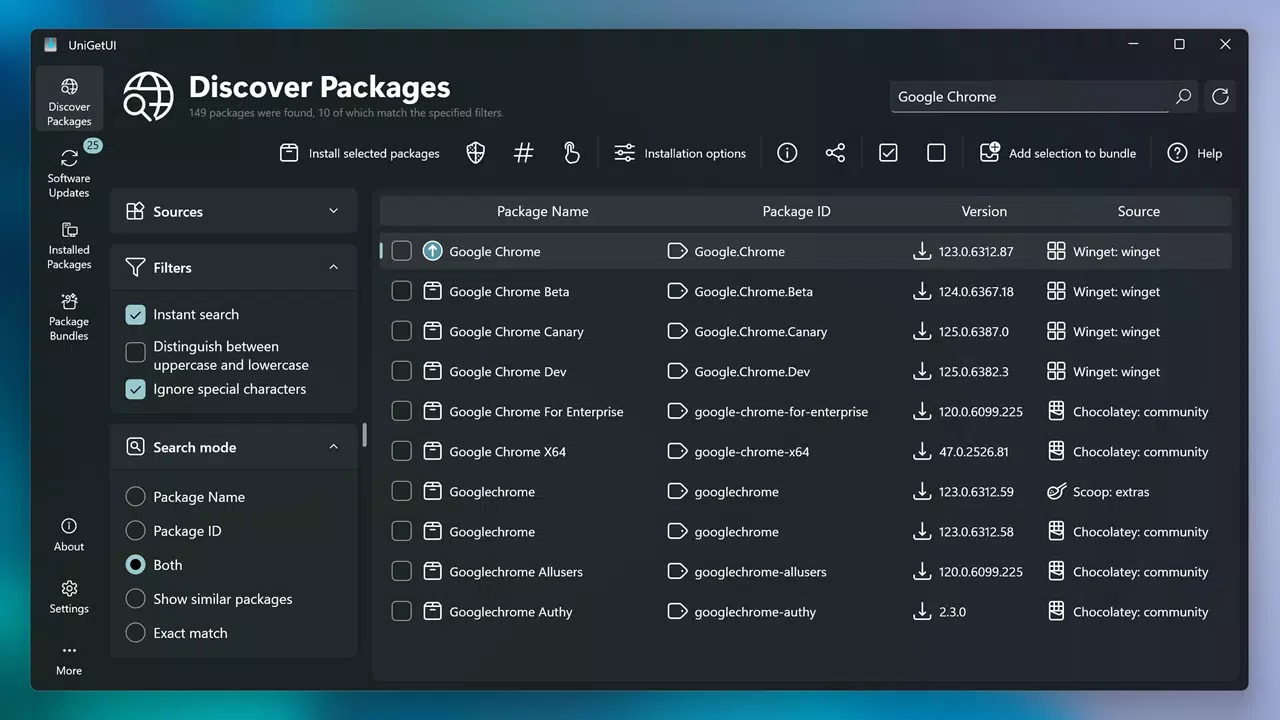
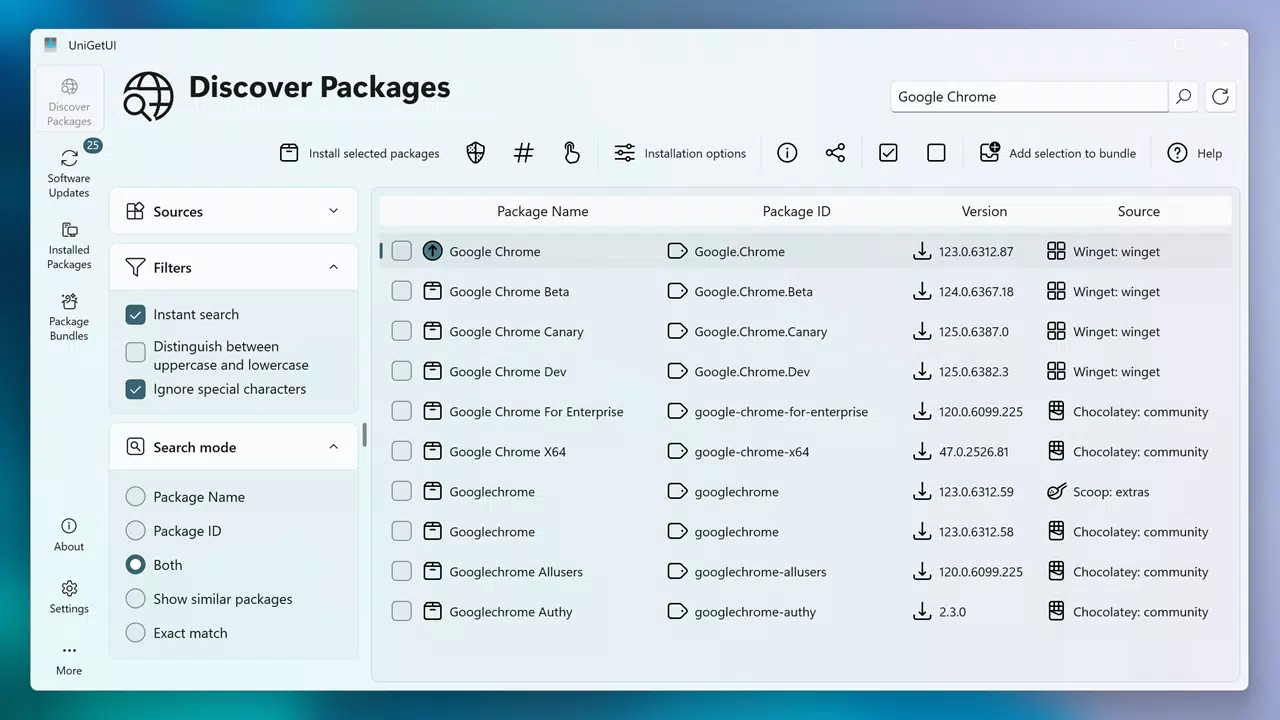
UniGetUI features a clean, modern interface with a focus on clarity and efficiency. The layout organizes package managers into tabs or sections, allowing users to switch between Winget, Scoop, and Chocolatey with ease. The search bar is prominently placed, enabling quick access to software by name, description, or tag. Results are displayed in a well-structured list with clear metadata, including version, publisher, and installation status.
Navigating through the app is intuitive, with logical grouping of actions such as install, update, and uninstall. Contextual menus and tooltips guide users through complex operations without overwhelming them. The visual style is minimalistic, avoiding clutter while maintaining readability and accessibility. Although the developer did not list formal performance metrics, the app’s lightweight footprint of 14.7 MB suggests efficient resource usage.
Performance is expected to be responsive across a range of Windows 10 and 11 devices, from low-end laptops to high-performance workstations. The app maintains stability during bulk operations and background updates, with no reported issues in typical usage scenarios. Responsiveness is maintained even when handling large package lists, indicating optimized data handling and UI rendering. The app’s lightweight nature contributes to fast startup times and minimal impact on system resources.
Platform Compatibility & Technical Requirements
UniGetUI is designed exclusively for Windows operating systems. It supports both Windows 10 and Windows 11, ensuring broad compatibility across modern desktop environments. The app is available as a standalone executable with a file size of 14.7 MB, making it suitable for devices with limited storage capacity.
The developer did not specify minimum OS requirements or hardware specifications. However, given its lightweight design and focus on package management, it is likely optimized for systems with standard configurations. No additional runtime dependencies were reported, suggesting a self-contained deployment model. Users can install the app directly without needing to install additional software or frameworks.
Compatibility with different device categories—such as laptops, desktops, and tablets—was not fully disclosed. However, the app’s interface is responsive and functional in standard desktop resolutions, indicating appropriate scaling for typical screen sizes. No platform-specific limitations were mentioned, and the app appears to function consistently across supported Windows versions.
Pros and Cons
Pros
- Free to download and use with no hidden costs
- Supports multiple package managers (Winget, Scoop, Chocolatey) in one interface
- Efficient one-click installation and removal of software
- Robust bulk operations for faster setup and maintenance
- Automatic update options with user control over version skips
- Export and import of package lists for cross-device setup
- Lightweight size (14.7 MB) with minimal system impact
- Backup and recovery functionality for software configurations
Cons
- Developer did not provide detailed system requirements or compatibility notes
- Specific performance benchmarks or stress-test data were not disclosed
- Platform availability limited to Windows only
- No official support for mobile or web platforms
- Advanced features may require some familiarity with package managers
FAQ
Is UniGetUI safe to download and install?
Yes, UniGetUI is a free, open-source utility developed by UniGet. It does not contain malware or intrusive permissions. As with any third-party tool, users should download it from official sources to ensure authenticity.
Can I use UniGetUI on older versions of Windows?
The app is designed for Windows 10 and 11. While it may run on older systems, the developer did not confirm compatibility with versions prior to Windows 10.
Does UniGetUI require administrator privileges?
Some operations, such as installing software system-wide, may require elevated permissions. The app will prompt for admin rights when necessary, but standard user access is sufficient for browsing and managing packages.
Can I export my installed software list to another computer?
Yes, UniGetUI allows users to export their package lists in a structured format. These files can be imported on another machine to restore the same software configuration quickly.
How often does UniGetUI check for updates?
Users can configure automatic checks for updates. The app can either update packages silently or notify users when updates are available, depending on their preferences.
Final Thoughts
UniGetUI stands out as a powerful, lightweight, and free tool for Windows users who value efficiency and control in software management. By bridging the gap between command-line precision and graphical ease, it empowers both novice and advanced users to maintain clean, consistent, and up-to-date systems. Its ability to handle multiple package managers, support bulk operations, and enable cross-device configuration sharing makes it an essential addition to any productivity toolkit.
Whether you're a developer setting up a new environment, a system administrator deploying software across machines, or a power user looking to streamline your workflow, UniGetUI delivers real value. The combination of intuitive design, robust functionality, and zero cost makes it a standout choice in the Windows productivity space.
Download UniGetUI now


